


B2B eCommerce Wireframes & Workflows to Customize User Experiences
Even the greatest business strategies begin with simple ideas that provide structure, and building a powerful B2B eCommerce platform begins with mapping simple functions and connections that run beneath the design layer of individual page templates. Southwest Airlines was reputed to start as a simple drawing on the back of a napkin by Herb Kelleher and Rollin King, who drew a triangle on a napkin in a bar. The triangle connected San Antonio, Dallas and Houston. Simple ideas, often repeated, deliver astonishing workflows and stakeholder benefits just like Kelleher’s simple designs and business philosophy turned a drawing on the back of a napkin into one of America’s best-known airlines, and a bunch of ones and zeros drive the entire digital universe.
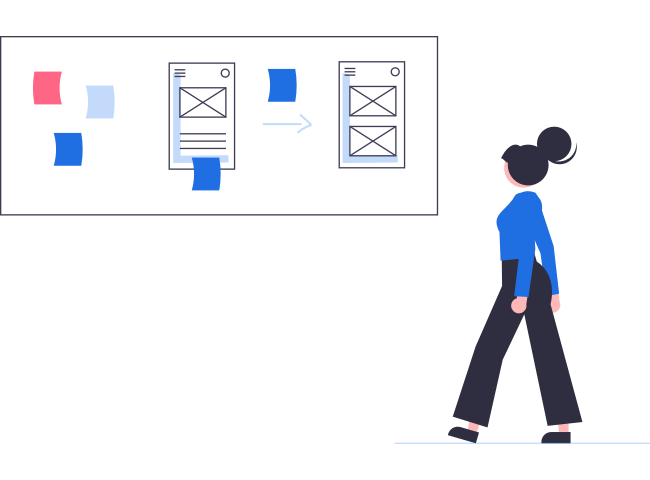
Wireframes and workflows are the digital equivalent of the back of a napkin or envelope. Wireframes are blueprints — really just rough mockups of how functions should work and where content, images and support materials should go, and this includes forms to register customers. Most websites don’t want an ugly form to dominate a display screen, so these features should not dominate the display on mobile devices, but a connecting button should be prominent and easy to access.
Workflows are the detailed plans to code websites to perform the desired actions that are included in wireframe blueprints. Wireframes really can be sketched out on the back of a napkin, but most developers use a whiteboard or digital template.
Steps to Fostering Multiple eCommerce Platform Conversions
Most of a B2B company’s third-party and staff users have predefined roles, so it’s not necessary to build profiles from visitor leads. However, new visitors to B2B websites often arrive by accident, and others won’t stay long unless they find what they’re looking for in the first few seconds. Using website architecture and careful planning enables B2B companies to qualify visitors, generate leads, profile visitors accurately and shepherd them through a far more complex sales process than B2C websites use. Design features, UI interfaces and customer experiences should be personalized for each user as soon as sufficient knowledge is gained to do so. Designing the back-end resources of a B2B platform to connect with front-end users and provide them with a personalized journey involves the following actions and steps in the development process:
- Qualifying visitors and getting them to “convert” or supply information that can be used as sales leads and to craft customized experiences on future visits
- Determining the preferences of front-end design features for each customer persona or profile
- Using wireframe design to create a rough blueprint of the actions that a page should perform and where content and graphical embellishments will appear on the page
- Updating or building new sitemaps to cover all the changes and enhance SEO and content searches in-house and externally
- Integrating third-party tools in user experiences
- Suggesting back-end resources and third-party integrations and supplying order forms and documents at appropriate stages for each customer profile
- Assigning different UI elements to each job in the wireframing process
- Creating workflows to transform wireframes and integrate existing resources into customer-centric UIs and UXs
- Testing each part of the work before going live
Great eCommerce platforms serve multiple needs for businesses, so these companies need a strong website architecture, customizable operating software and a strong foundation to support all the demands. Wireframes help to organize the framework, workflows make things happen, testing confirms everything works as planned and sitemaps show what’s been done in ways that are easily followed by search engines. The first step in the process is deciding on business goals and determining what features are needed to accomplish them. At this stage, companies can determine how third-party and staff access should work and create wireframes to cover the processes. The next step is qualifying website visitors by getting their attention and persuading them to interact with the site to garner sales leads and customer-profile intelligence.
Boosting B2B Marketing Goals
The first step in the continuous process of qualifying website visitors is getting people’s attention so that they stay on the site long enough for website metrics to get further information, which can be used to generate leads and customize the user experience. That sounds simple but proves difficult in real-world conditions when people are searching on the Internet on smartphones and want immediate answers to their preconceived questions. The best practices for new site visitors is to optimize the site based on the device visitors are using. If customers use a mobile device, the website can easily glean geolocation data, and cookies can help to paint a picture of visitors that access the site from desktop computers.
Companies have only a few seconds to show visitors that they have come to the right place to find the answers, products or information they seek. That’s why the first set of wireframes in the B2B eCommerce development process usually deals with marketing-related conversions such as capturing leads, getting people to register and convincing them to download something or otherwise identify themselves. If the website can get their attention for more than a few seconds, there’s a strong chance that visitors will stay longer to be convinced to do something or receive an overview of the company and its products or services.
Content Is King, but Wireframes Put It on the Throne
Ultimately, content is what will convince people to stay on a website or take other actions that can promote a B2B company’s initial goal of obtaining actionable marketing information. Delivering relevant content at critical stages of a visitor’s journey results in higher conversions. It’s critical to make the best use of an eCommerce platform’s existing content, which customers might never see without a strong engagement strategy. Unlike B2C websites that receive thousands of visitors and can afford to operate if they just convert small percentages of their total visitors, B2B companies have fewer visitors and a longer sales process, so sound business practice dictates that companies engage their visitors at higher rates to be successful.
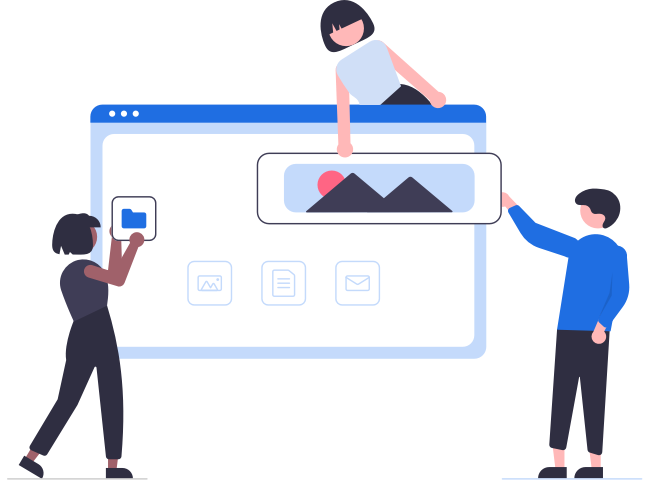
Wireframes guide the strategy of where to put each feature in new-visitor displays based on which device each person uses. Wireframes show how the content works in a graphical context by laying out how the display will look, where to place images, video and audio files, which creative company assets to spotlight and what other lead-generating features to incorporate to capture information. Planners need to pay attention to keywords, tone, language and other factors in the actual content to connect with visitors, but the wireframing can be done early in the process because it helps to set content goals and results in better content generation. Examples of typical B2B engagement strategies for first website visits include the following actions:
- Getting visitors to identify themselves
- Convincing people to register
- Gaining information by offering an incentive or free download
- Persuading visitors to reveal their reasons for visiting the site by answering questions
- Customizing displays by asking about which products or catalogs interest the visitor
- Offering free newsletters or marketing tips
- Telling a compelling story about the company or current events that impact the relevant industry or B2B market
- Providing free consultations on marketing
The goal of first contact is to gain sales leads, but don’t ignore the opportunity to make an immediate sale, though this happens less commonly in B2B marketing than retail sales.
Using Wireframes and Workflows to Nurture Sales
Once visitors pass the lead-generation process, the next level of design uses wireframes to craft the user experience based on lead information. This is the point where simple actions become more complicated because many actions are possible to nurture business relationships such as providing customers with information about products, connecting with third-party resources or sales staff, applying for credit, ordering directly online, requesting custom prices, choosing product customizations and ordering custom-built products and fabrications.

In effect, every part of an eCommerce platform functions as a salesperson and guides the customer toward a conversion. In B2B companies, this could involve submitting proposals, negotiating terms, processing purchase orders, scheduling face-to-face sales meetings, viewing product demonstrations, researching product compatibilities, arranging special payment terms, gaining approval from multiple stakeholders in the customer’s organization, checking inventories, backordering products when inventories won’t cover the order, scheduling drop-shipping to fulfill orders and requesting split-shipping for purchasing managers who buy for chain stores, government agencies and multiple locations.

Developing Custom User Stories into Polished User Features

Once the processes for identifying prospects and converting them into customers are in place, it’s time to map UI- and UX-specific workflows for normal customer activities such as managing the checkout process, operating user dashboards, paying invoices, reordering and asking for staff assistance. It’s important to automate and simplify every process so that users enjoy a friendly, simplified website experience. That’s why it’s critical to get outside opinions on these processes to confirm whether they’re as intuitive as planned. This is the part of the design process where assigning tasks to customer or stakeholder dashboards is done, apps are integrated and existing processes are improved.
Best practices in this phase of development include performing tests, split-testing and other finalizing and proactive tasks to find how the improvements work on various kinds of devices and how easy it is for stakeholders to engage with the company and its resources. Each process should be well-designed, automatic and as easy or easier to perform than those of company competitors, so planners should research similar B2B operations.
User Stories
User stories are specific roles assigned to different stakeholders in agile development practices. These stories can focus on different actions such as opening an account, entering a password, checking out products or getting access to different areas, databases and interactive applications. User stories also assign roles to third-parties that use the website, which include vendors, business associates, distributors, shippers, informational resources and staff members who have access to different areas of the company’s operating system. Each of these stories represents a distinct point-of-view and requires a custom workflow to code the actions properly. Wireframes provide blueprints of all the underlying actions and design features of each website page while workflows are task-specific instructions for transforming each of these actions into a finished website feature. During the design phase, it’s convenient to work out plans for all stakeholders, but that doesn’t mean these can’t be integrated or changed later.
Collaborating with Custom Workflows
Transforming an eCommerce platform to provide customized user experiences, easier company management and collaborations with third-party associates is, in itself, a wonderful opportunity for collaborating with development partners, which can even include people who know nothing about writing code. Many of the demands of providing customer-specific content won’t require generating new material; most established B2B companies already have this information in one form or another. It’s just a matter of leveraging white papers, e-books, studies, product descriptions and other company content and fine-tuning it to the stakeholder’s point-of-view with a few key changes and calls-to-action addressed to the customer or company stakeholder. This is a workflow that can easily be delegated to staff members and outside consultants to accelerate the development process.
Tips About Wireframes and Workflows in B2B eCommerce
Our engineers at Clarity Ventures not only understand what it takes to build a user-friendly eCommerce platform but also can help with the planning process where you match business features to customers to generate amazing website experiences for all users including staff and business associates. Our team works carefully to design custom wireframes and workflows that handle simple work processes that are repeated thousands of times, and these actions save users time, help them connect with support services, provide custom forms and perform many other actions that ensure a seamless experience. We like to be involved early in the process because we can provide valuable tips and creative suggestions, but we’re glad to step in at any point to work if your IT teams get stuck on any aspect of designing a B2B eCommerce platform. Call or contact us today for a consultation on design layouts and the wireframes and workflows that support them.
Get the Best B2B eCommerce Platform
Whether you're just getting started or already in the race, Clarity can develop and optimize the best eCommerce platform for your business according to your specifications and guide you on best practices. Get in touch today for a free, no-obligation demo or discovery session with our experts to go over your needs and find out what solutions would work best for your B2B organization.
Related resources
- B2B eCommerce Best Practices Guide: Executive Summary
- B2B eCommerce Guide - Project Approach
- B2B eCommerce Guide - Website Functionality & Customizations
- B2B eCommerce Guide - Core Business Features
- B2B eCommerce Guide - Custom Business Features
- B2B eCommerce Guide - Back-Office Core Features
- B2B eCommerce Guide - Back-Office Custom Features
- B2B eCommerce Guide - Design and Your Company’s Reputation
- B2B eCommerce Guide - Custom UI / UX
- B2B eCommerce Guide - Wireframes & Workflows
- B2B eCommerce Guide - Design Mockups
- B2B eCommerce Guide - Solution Checklist
- B2B eCommerce Guide - Online Payments
- B2B eCommerce Guide - Purchase on Account
- B2B eCommerce Guide - Shipping & Handling
- B2B eCommerce Guide - Taxes
- B2B eCommerce Guide - Deployment Architecture
- B2B eCommerce Guide - Selecting the Right Platform
- 12 Biggest B2B Marketplaces: Making the Most of a B2B Marketplace Platform
- How to Create a Marketplace Website for eCommerce
- Benefits of B2B eCommerce Supply Chain Management
- White-Label Marketplace Software as an Online Business
- InterPayments: How to Avoid Credit Card Processing Fees
- Best Wholesale eCommerce Platform
- Business Systems Integration: IoT System Integration for the Internet of Things
- The Difference Between a Cloud-Based eCommerce Platform & On-Premises
- What Is an Instant Payment Network? Faster Funds with a Payments Network
- B2B eCommerce Development: Making the Most of the Business-to-Business Model
- How to Build a Multi-Vendor Marketplace Website: Development Advice You'll Need
- What is eCommerce B2B
- FMCG eCommerce: Fast-Moving Consumer Goods and Online Sales
- Best B2B eCommerce Software Solutions (Buyer Guide)
- 12 Biggest B2B Marketplaces: Making the Most of a B2B Marketplace Platform
- 7 Things to Look For in B2B Marketplace Software Solutions
- B2B Wholesale
- Key Features for Group Buying Platforms
- Choosing the Best Wholesale eCommerce Platform: 2026 Guide
- What Is a B2B Procurement Platform and Website?
- ACH Integration: A Guide to ACH Hold, Transfer, and Transaction Time