


Clarity Connect integration
Dynamics 365 Integration
Connect Dynamics 365 Sales, Business Central or Finance and Supply Chain Management to your store and other systems, through the API Microsoft documents for each app.







Which Dynamics 365 are you connecting?
Dynamics 365 is a family of Microsoft business apps rather than one system. The customer engagement apps, such as Dynamics 365 Sales and Customer Service, store their data in Microsoft Dataverse. Business Central, the successor to Dynamics NAV, is Microsoft's main ERP for small and mid-sized businesses, and the finance and operations apps, Dynamics 365 Finance and Supply Chain Management, replaced Dynamics AX. Each has its own data model and API, so the first step is working out which apps hold the records you need.
Records synced with Dynamics 365
- Accounts and contacts
- Customers
- Sales orders
- Items and products
- Inventory
- Sales invoices
- Shipments and order status
Three APIs, one platform to run them
Dynamics 365 Sales and Customer Service are reached through the Dataverse Web API, which implements OData version 4.0 over RESTful HTTP. Business Central has its own REST API (v2.0) with standard resources such as salesOrders, customers, items, salesInvoices and salesShipments. Finance and Supply Chain Management publish an OData endpoint that exposes every public data entity with full create, read, update and delete support.
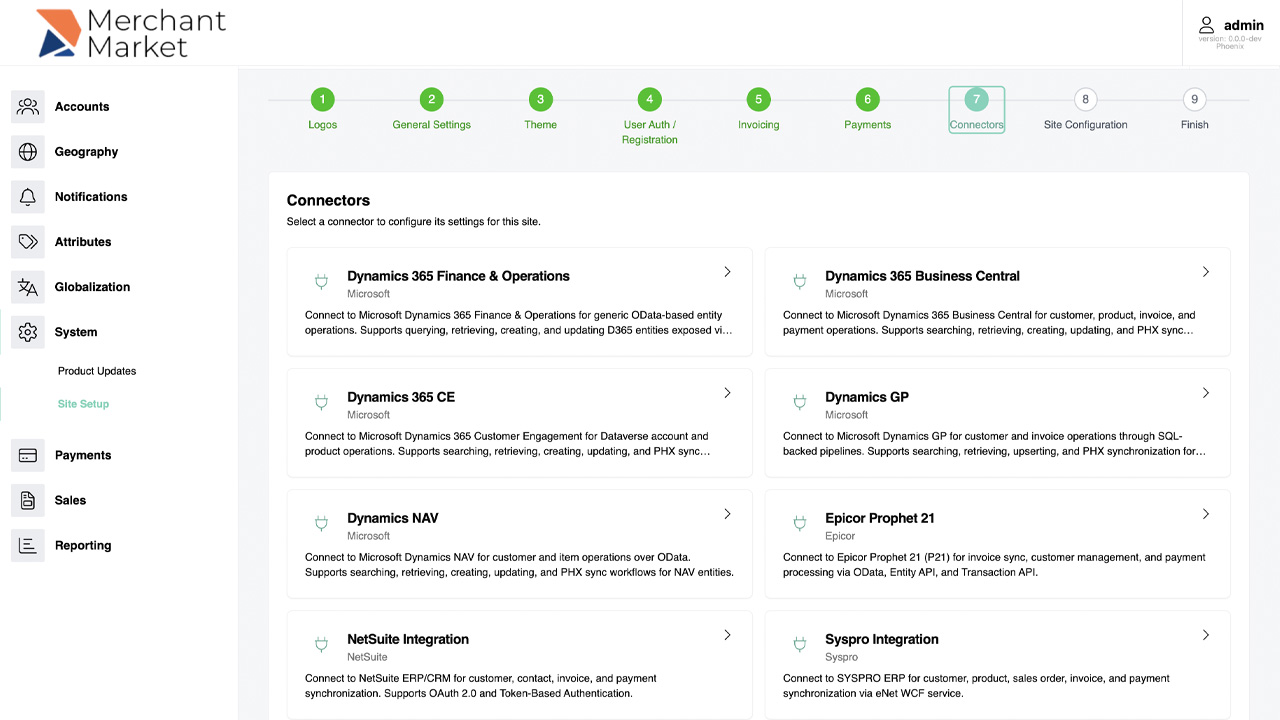
Dynamics 365 Finance & Operations, Business Central and Customer Engagement are all on the list of ERP connectors built into Clarity eCommerce, and Clarity Connect links them to other stores and systems.
How a Dynamics 365 integration runs
Cloud to cloud
When Dynamics 365 runs in Microsoft's cloud and your store or CRM is cloud-hosted too, Connect runs in the cloud as well, with access limited to the applications each task needs.
Live where it counts
Orders can reach Business Central or Finance and Supply Chain Management as they're placed, and new web accounts can appear in Dynamics 365 Sales straight away. Catalog and stock updates usually run on a set schedule instead.
Upgrades from NAV, GP and AX
Microsoft points Dynamics NAV, GP and SL customers to Business Central and AX customers to Finance and Supply Chain Management. Mapping your integration once lets the store and CRM side stay put while the ERP connection switches to the new app's API.
See Clarity Connect move an order
Watch an online order travel into the ERP and its status come back in our Clarity Connect demo, or book a live walkthrough on your own systems.
Systems we connect to Dynamics 365
Two Dynamics 365 pairings have their own pages: Dynamics 365 and SAP and Dynamics 365 and Oracle. For the CRM side under its older name, see Dynamics CRM integration. Names in the list that are linked have their own integration page.
eCommerce platforms
- 3dcart (Shift4Shop)
- Adobe Commerce (Magento)
- AspDotNetStorefront
- BigCommerce
- Clarity eCommerce
- EKM
- nopCommerce
- PrestaShop
- SAP Commerce Cloud (Hybris)
- Shopify
- Shopware
- Volusion
- WooCommerce
- X-Cart
- Znode
Marketplaces
- Amazon Fulfillment
- Amazon Marketplace
- Amazon Seller Central
- eBay
- Etsy
- Walmart Marketplace
- Wayfair
ERP and accounting
- Acumatica
- Brightpearl
- Dynamics AX
- Dynamics GP
- Dynamics NAV
- Epicor
- Epicor Eclipse
- Epicor ERP 10 (now Kinetic)
- Epicor ERP 9
- Epicor Kinetic
- Epicor Prophet 21
- FreshBooks
- Hermes
- Infor
- Infor CloudSuite
- Kashflow
- Linnworks
- NetSuite
- Odoo
- Oracle
- Oracle EBS
- Oracle Fusion
- Oracle JD Edwards
- QuickBooks
- Sage 100
- Sage 200
- Sage 300
- Sage 50
- Sage Intacct
- Sage X3
- SAP
- SAP Business ByDesign
- SAP Business One
- SAP Concur
- SAP ECC
- SAP S/4HANA
- SYSPRO
- Xero
- Zoho Inventory
CRM
- Agile CRM
- Dynamics CRM
- HubSpot
- Pipedrive
- Podio
- QuoteWerks
- Salesforce
- Salesforce Marketing Cloud
- Streak
- SugarCRM
- Zendesk
- Zoho
Payments
- Authorize.net
- BNG
- BridgePay
- Chase Orbital Paymentech
- Cybersource
- Fiserv (First Data)
- GoCardless
- Heartland
- Opayo (formerly Sage Pay)
- Payeezy
- Payoneer
- PayPal
- PayTrace
- Stripe
- Worldpay (formerly Vantiv)
Shipping and freight
- A. Duie Pyle
- AAA Cooper Transportation
- ABF Freight System
- Averitt Express
- Day & Ross
- Daylight Transport
- Dayton Freight Lines
- DHL
- DPD
- Estes Express Lines
- FedEx
- FedEx Freight
- Oak Harbor Freight Lines
- Parcelforce
- Pitt Ohio
- R+L Carriers
- Roadrunner Freight
- Saia
- ShipStation
- Southeastern Freight Lines
- TForce Freight (UPS Freight)
- TNT (FedEx)
- UPS
- USPS
- Werner Enterprises
- XPO
Content management
- DNN
- dotCMS
- Drupal
- ExpressionEngine
- Joomla
- Kentico
- Sitecore
- Sitefinity
- WordPress
Marketing automation
- Act-On
- ActiveCampaign
- Adobe Marketo Engage
- ClickDimensions
- Ontraport
- Salesforce Account Engagement (Pardot)
- SharpSpring
- Dotdigital (formerly dotmailer)
- Elastic Email
- Mailchimp
- Mailjet
- Microsoft Exchange
- SendGrid
- SMTP2GO
Social media
- X (Twitter)
- YouTube
Analytics
- Google Analytics
- Google Tag Manager
- Qualtrics
File storage
- Amazon S3
- Box
- Dropbox
- Google Drive
- Google Workspace (G Suite)
- OneDrive
Databases
- Amazon RDS
- Amazon Redshift
- Microsoft SQL Server
- MySQL
- PostgreSQL
EHR and EMR
- eClinicalWorks
- Epic
- LabVantage LIMS
- LabWare LIMS
- PioneerRx
- STARLIMS
- Thermo Fisher SampleManager LIMS
- TIMS
Other systems
- Aareon QL
- Abillity
- Clickatell
- Eventbrite
- FTP
- Groupon
- HCL Notes (Lotus Notes)
- Jira
- Metapack
- OData
- Rithum (ChannelAdvisor)
- SFTP
- Slack
- SurveyMonkey
- Zoho People
Linked names have their own integration page.
How Clarity Connect runs it
Clarity Connect is the platform Clarity builds integrations on. It keeps a persistent, two-way connection between Dynamics 365 and every other system in the project and runs as many tasks as you need, each real-time or scheduled. Clarity has delivered more than 3,000 integrations on it, and the platform and connector source code is available.
Discovery
A Clarity business analyst documents the data fields and workflows each system can share and which ones you need.
Tasks and mapping
Each flow becomes a Connect task, such as orders to the ERP or stock to the store, set to run in real time or on a schedule.
Testing
Orders and updates are run end to end, including the return trip of statuses back to the customer-facing system.
Live, with a dashboard
Queues and scheduled tasks show in Connect's Hangfire dashboard. A job whose target is offline is retried 10 times, every 30 minutes, and can be re-queued once the cause is fixed.
Clarity Connect is sold as a SaaS subscription at $599 a month or as a one-time license at $15,000 with no ongoing fees, and larger projects are priced to scope. See pricing.
Questions
Can Clarity integrate Dynamics 365 Sales as well as the ERP apps?
Yes. Dynamics 365 CE, Business Central and Finance & Operations are all on Clarity eCommerce's list of built-in connectors, and Clarity Connect links each of them to other systems. The Sales and Customer Service apps are reached through the Dataverse Web API.
Is Dynamics 365 Business Central the same as Dynamics NAV?
Business Central is where Microsoft's upgrade path from NAV leads, but its integration interface is different: a REST API (v2.0) instead of NAV's SOAP and OData web services. See Dynamics NAV integration.
What replaced Dynamics AX?
Microsoft's finance and operations apps: Dynamics 365 Finance, Supply Chain Management, Commerce and Project Operations. See Dynamics AX integration.
How is Clarity Connect priced?
Either $599 a month as SaaS or a $15,000 one-time license with no ongoing fees, with larger projects priced to scope. See pricing.
Related resources
Plan your Dynamics 365 integration
Tell us which Dynamics 365 apps you use and which systems need their data. A Clarity business analyst will document the records and workflows with your team first. Call (800) 928-8160, email sales@clarity-ventures.com or get a consultation.
Book a demo